Multi-Robot Path Planning Visualizer
Oct 26, 2024
·
2 min read
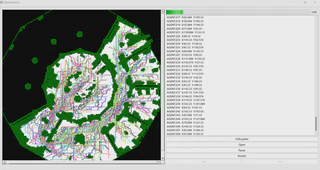
A Qt-based visualizer for Continuous Multi-Agent Path Finding (MAPF) algorithms. Renders agent movements with smooth trajectories in continuous 2D space.

Implementation
Built with Qt 4.6.1+ and C++17, the visualizer consists of:
- Map Renderer: Parses and displays 2D grid maps with obstacles
- Trajectory Parser: Reads timestamped agent positions from XML files
- Animation Engine: Interpolates between waypoints for smooth continuous motion using Qt timers
- Collision Visualization: Highlights agent positions and paths in real-time
The core rendering loop updates agent positions based on timestamps, supporting variable agent radii and dynamic obstacle visualization.
Compatible MAPF Algorithms
This visualizer supports any Continuous MAPF solver that outputs timestamped trajectories, including:
- Continuous-CBS (CCBS) - Conflict-Based Search for continuous time
- SIPP (Safe Interval Path Planning) - with time-continuous extensions
- PBS (Priority-Based Search) - continuous variants
- EECBS - Enhanced Explicit Estimation CBS
- Any custom solver that outputs: agent ID, (x, y) positions, timestamps, and optional orientations
Simply convert your solver’s output to the XML format (see DemoInput/ for schema).
Requirements
- Qt 4.6.1+ (Qt5/6 compatible with minor changes)
- C++17 compiler
- Qt Creator (recommended)
Build & Run
In the project root directory:
qmake
make
./ContinuousMAPFVisualizer
Or open the .pro file in Qt Creator and run directly.
Usage
- Launch the application
- Load XML scenario file: File → Open (examples in
DemoInput/) - Control playback with play/pause/speed controls
- Adjust visualization settings (agent size, trail length, etc.)
Input Format
XML schema includes:
<map>: grid dimensions, obstacle positions<agents>: agent IDs, start/goal positions<trajectory>: timestamped (t, x, y, θ) waypoints for each agent
Example:
<scenario>
  <map width="32" height="32">...</map>
  <agents>
    <agent id="0" start_x="1" start_y="1" goal_x="30" goal_y="30"/>
  </agents>
  <trajectory agent_id="0">
    <waypoint t="0.0" x="1.0" y="1.0" theta="0.0"/>
    <waypoint t="1.5" x="2.3" y="1.8" theta="0.4"/>
    ...
  </trajectory>
</scenario>
See DemoInput/*.xml for complete examples.
Credits
Framework inspired by Continuous-CBS
Benchmark maps from MovingAI
